Tools for AI game masters and talking AI NPCs split into two kinds that are easy to mix up. One kind is a game you play, where an AI runs the story for you. The other is a tool you build with, which gives your own characters a voice, a brain or a face. Once you know which kind you're looking for, the list of tools worth trying gets short.
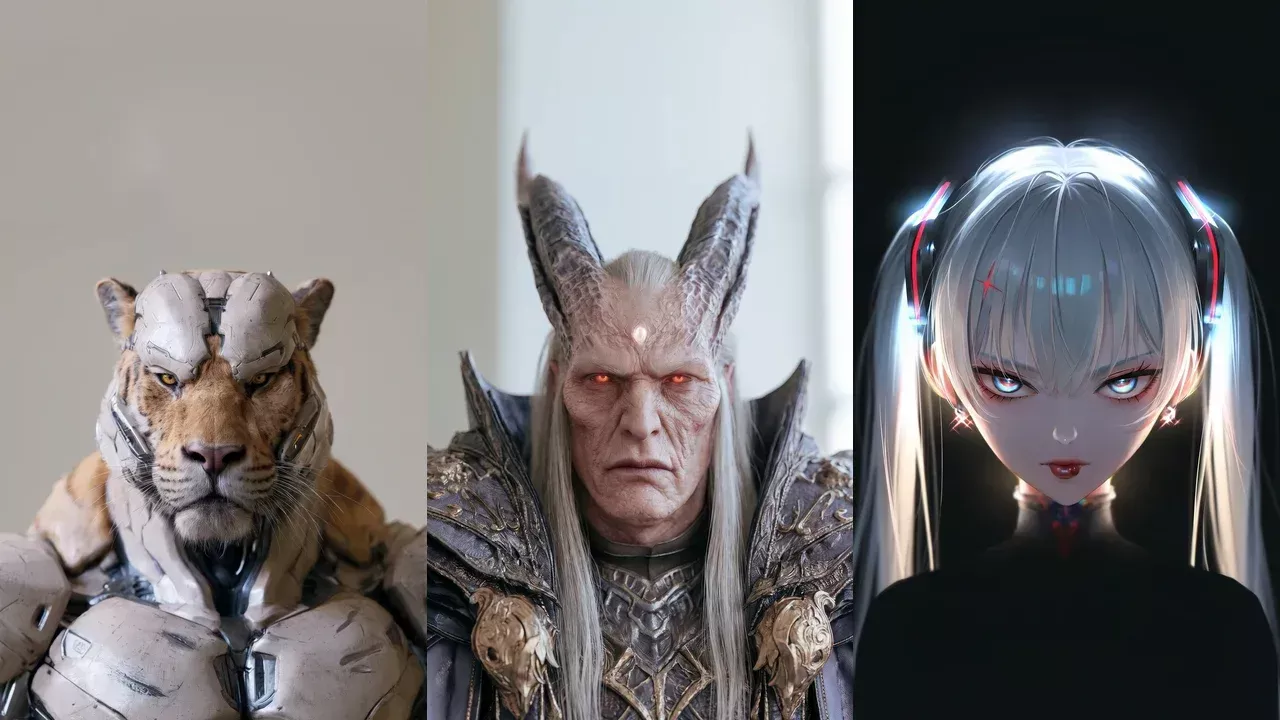
The facts about other tools in this post come from each company's own website or store listing, checked on 17 November 2026. Confirm them there before you commit, because features and prices change.
How to tell the two kinds apart
Ask who owns the character. In a game you play, the AI game master and the world come with the product. You bring a character sheet or an idea, and the AI narrates, plays the NPCs and often runs combat. Players, and game masters who want a night off from running the table, belong in this group.
In a tool you build with, the character is yours. You already have an NPC, a mascot or a cast for your stream, and you need something that makes it talk. These tools almost never supply the whole character. Each one supplies a piece, and the right choice depends on which piece you're missing.
Both lists below are in alphabetical order. Neither is a ranking.
AI game masters and AI roleplaying games for players
You can start any of these without building anything. The main differences are how much the rules matter, whether you play alone or with a group, and how much of the world you can make yourself.
- AI Dungeon (by Latitude). A free AI text adventure game for open-ended stories in any genre. You can build your own scenario or play adventures made by the community, and plans run from a free tier to $99.99 a month. Fits when you want a story with no fixed rules and no fixed genre.
- AI Realm. An AI RPG platform for adventures inspired by D&D 5e, where an AI Game Master narrates and runs combat. You create a character with a class, a background and an AI-made portrait. Fits when you want the feel of a D&D session and enjoy building a character before you play.
- Friends & Fables. A text RPG inspired by Dungeons & Dragons, with tactical turn-based combat based on the D&D 5e rules and an AI Game Master called Franz. You play solo or in a party of up to six, in player-made worlds or your own, and on paid plans text to speech lets Franz narrate and voice characters. There's a free plan, and paid plans cost $19.95, $29.95 and $39.95 a month. Fits when your group wants proper combat and a game master who never has to cancel.
- Hidden Door. Story worlds to play in, including worlds based on classic books such as Dracula and The Land of Oz. You can build a world from a text prompt and enter it as your own character, with a free plan and a Creator plan for publishing worlds. Fits when you care more about a setting you love than about rules.
- RPGGO. A zero-code game generator for text RPGs with AI NPCs and an AI game master, where a copilot turns a written description into a game. It also has an API for developers. Fits when you want to turn your own idea into a playable text RPG without writing code.
If you run tabletop games yourself, look at how each one lets you bring your own material. AI Dungeon has scenarios, Friends & Fables and Hidden Door let you make worlds, and RPGGO builds a whole game from a description.
The pieces that make a talking character
This part is mostly for builders, streamers and small studios. A character that talks back is made of separate pieces, and tools differ in which ones they hand you:
- Dialogue: a language model that decides what the character says.
- Voice: speech recognition to hear the player and text to speech to answer.
- A 3D character in a game engine: a body with lip sync, facial animation and gestures inside Unity or Unreal Engine.
- Behaviour: what the character does in the game world on its own.
- A live face from a single image: a moving, speaking face generated from one picture while the conversation runs.
Few projects are missing all five. A studio with a finished, rigged 3D cast still needs dialogue and voice. A streamer with a drawing of their mascot has a look and a personality in mind, and needs a face and a voice.
Tools that bring your own characters to life
- Artificial Agency. A behaviour engine for game studios that lets characters act and react on their own inside the game, with Unity support. It supplies behaviour. Fits when your characters already look and sound right, and you want them to do things without a script for every case.
- Convai. Conversational AI for virtual worlds. Its embodied 3D characters respond with dialogue, voice, gestures and actions, with lip sync and facial animation, and they can perceive the scene. It has plugins for Unity, Unreal Engine and the web, more than 500 voices in more than 65 languages, and you craft the character's backstory, personality and knowledge in the browser. It's free to start. Fits when you want a talking 3D character inside your game engine and want most of the pieces from one place.
- Inworld. Voice and AI model services for consumer apps, with a games and media offering for voices and live dialogue. It supplies text to speech, speech recognition and language models, with templates for Unity and Unreal Engine, and usage starts on a $0 On-Demand plan. Its earlier Character Studio has been retired. Fits when you have the character and the engine work covered and need dialogue and voice.
- NVIDIA ACE. A suite of AI technologies for game developers that covers speech recognition, a language model, text to speech and facial animation driven by audio. It has plugins for Unreal Engine and Maya, models can run on the player's device, and developers bring their own character. Fits when you're a studio with your own 3D character and you want to run the models on the player's device.
- Ojin (that's us). We supply a live face and the conversation in the browser. You speak, and a character made from one image answers with a moving face and a voice, generated while you talk. The image can be a photo, a drawing, a painting or a 3D render, and pricing is usage-based from $0.05 a minute, with plans from $8 a month (Creator, billed annually). Fits when your character will appear on a stream or a web page and all you have is a picture of it.
Where will your character appear?
Start with the place where the player or viewer meets the character.
In a text adventure. You need a game from the first list. If you want to play tonight, pick by rules and setting. If you want to make something for others, RPGGO's generator and API, or the world-building in AI Dungeon, Friends & Fables and Hidden Door, are where to look.
Inside a game engine. This is builder territory, and the question is which pieces you already have. With no character at all, Convai supplies an embodied one with dialogue and voice attached. With your own rigged character, NVIDIA ACE drives its face from audio and adds speech and a language model, and Inworld covers voice and dialogue. If speech is solved and your NPCs still stand around waiting for the player, Artificial Agency supplies the behaviour.
On a stream or a web page. There's no engine here, and usually no 3D model either. This is the piece we make. An Ojin character starts from one image, with no training and nothing to rig, and the face keeps the style of that image, so an anime drawing stays anime. A character card decides who the character is and how they talk. You pick a voice from the library or bring your own, and one line of code puts the character on any website. Our characters speak 20 languages and reply in the language they're asked in.
You can call game characters in the browser at ojin.ai/characters, or create your own there from concept art or a 3D render of an NPC. Game engine plugins and rules systems come from the other tools on this list. Builders who already have dialogue and voice can use our face model on its own, which takes audio in and sends video back, with ready-made Pipecat and LiveKit support.
Choose by the missing piece
Comparing these ten tools feature by feature gets you nowhere, because most of them don't do the same job. A rules-heavy text RPG, a behaviour engine and a live face each solve a different problem.
So our view is simple. Start from where the character will appear, work out which piece you don't have yet, and choose the tool that supplies it. We built our own part the same way. We make the face and the conversation, and the best characters will come from people who combine it with the right tools for everything else.